





2026/06/09 IT & Cyber-Security Solutions 427 visit(s) 3 min to read
Ctelecoms
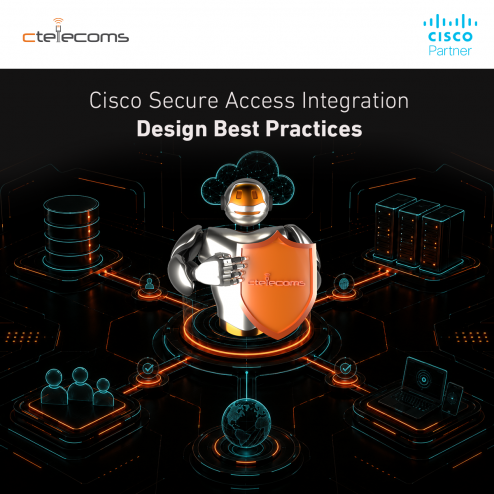
This blog outlines options for deploying Meraki MX SD-WAN with Secure Access to deliver a comprehensive SASE solution. Following these recommended designs will help ensure your network achieves optimal performance and security.
Today's remote and hybrid workforce, widespread cloud adoption, and increased internet-bound traffic require organizations to deliver secure, optimized access to applications anywhere, on any device. Traditional network models struggle to keep pace, prompting organizations to embrace Secure Access Service Edge (SASE) architectures. By integrating Cisco Meraki SD-WAN with Cisco Secure Access, businesses benefit from unified, cloud-native networking and security, ensuring consistent protection, simplified operations, and a scalable user experience across all locations.
Cisco Meraki and Secure Access stand out with their centralized, cloud-based dashboards, enabling IT teams to deploy, monitor, and manage networks from anywhere—eliminating the need to build more on-premises controllers. The platform integration prioritizes simplicity, scalability, and automation, while offering built-in analytics and security for both enterprise and distributed environments. Managed through the Cisco Meraki dashboard, Meraki MX SD-WAN leverages AutoVPN technology to seamlessly orchestrate and provision Secure Access cloud hubs and tunnels between sites in a spoke-and-hub network.
For clearer guidance, the following special terms describe devices and traffic paths within two SD-WAN fabrics: Traditional Cisco Meraki MX SD-WAN and Cisco SSE Secure Access.
|
Term |
Definition |
|
Cloud Fabric |
Transport via cloud hubs using Cisco Secure Access; cloud path or cloud transport |
|
Cloud Spoke |
Cisco Meraki spoke connected (enrolled) exclusively to the cloud |
|
Cloud Hub |
Cisco Secure Access-enhanced head-ends that provide cloud transport; designated with the CPSC-HUB platform type in Cisco Meraki MX Dashboard |
|
MX (Local) Fabric |
Transport via MX hubs, using traditional Cisco Meraki MX SD-WAN tunnels and routing; also referred to as the MX path or MX transport |
|
Local Spoke |
MX in spoke mode operating solely in the MX fabric, listing local or enrolled hubs |
|
Local Hub |
MX in hub mode that appears in a spoke's hub priority list |
|
Hybrid Spoke |
MX spoke that uses both cloud fabric and MX fabric for traffic transport |
|
Hybrid (Enrolled) Hub |
MX hub that forms a mesh with other MX hubs while enrolled in the cloud fabric and route peering (hub-to-hub) with the region's pair of cloud hubs |
Spoke-Spoke Communication Without Secure Access
In a traditional SD-WAN topology without Secure Access, spokes communicate directly with each other via the MX Hub using AutoVPN tunnels. Traffic between Spoke 1 and Spoke 2 flows through Hub.
When Secure Access SIA is enabled, the topology changes significantly:
When deploying a SASE architecture, it is recommended to inspect East-West traffic between sites to maximize security efficacy. Secure Access integration with Meraki org disables direct Spoke-Spoke communication via MX Hub to ensure all traffic is inspected and policy is applied as intended.
To improve platform stability and resiliency, the following optimizations are adopted at onboarding for all organizations that enable Meraki Secure Access integration:
|
Connectivity Path |
Cloud Spoke |
Hybrid Spoke |
Local Spoke |
Hybrid Hub |
Local Hub |
|
Cloud Spoke |
Cloud |
Cloud |
X |
Cloud |
X |
|
Hybrid Spoke |
Cloud |
Cloud |
X |
Local * |
Local * |
|
Local Spoke |
X |
X |
Local * |
Local * |
Local * |
* MX Hub (Hybrid or Local) must be configured on a Spoke to enable direct local-path access to its prefixes.
Note: Meraki Hubs form a mesh and communicate using their Local connectivity path.
|
Metric |
Standard |
Reduced Routing |
|
Max Enrolled Sites |
1,000 |
2,500 |
|
Max Routing Prefixes per Site |
10 |
28 |
|
Configuration |
Full iBGP routes |
Default route only |
The integration fundamentally changes traffic flow by forcing East-West traffic through Secure Access cloud hubs for inspection, while disabling traditional direct spoke-to-spoke paths via MX hubs by default. This ensures consistent security policy enforcement across all site-to-site communications.

Upgrade your IT to be as agile and efficient ...