






2026/03/25 Microsoft Power Platform 536 visit(s) 3 min to read
Ctelecoms
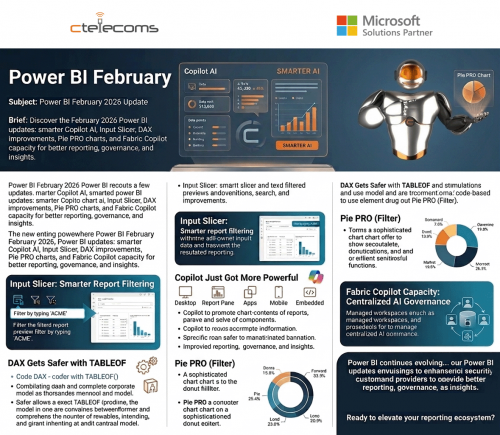
If your organization relies on data to drive smarter decisions, the February 2026 Power BI release delivers key enhancements that make analytics faster, more intuitive, and AI-driven. Here’s what stands out:
AI inside Power BI is becoming more practical for real-world business use.
With expanded prompt capacity (now up to 10,000 characters) across Desktop, Report Pane, Apps, Mobile, and Embedded environments, Copilot can now handle:
The result? Richer, more accurate AI-generated insights that actually understand your intent.
Microsoft Power BI’s Input Slicer (formerly Text Slicer) is now generally available, letting users type or paste text to filter reports — making dashboards more dynamic and user-friendly.
Skip long dropdowns — type full or partial values (Order ID, Customer Name, Product Code) and instantly narrow results. Whether searching “ACME Corp” or just “AC,” filtering is instant.
Supports operators like Contains, Starts with, Exact match. You can allow multiple values or restrict to a single selection, making it flexible for both exploratory and controlled reporting.
The Input Slicer makes analytics intuitive, empowering users to interact with reports naturally. Smarter dashboards and agile BI are just a type away.
The former Text Slicer is now officially the Input Slicer — and it’s much more capable.
Users can filter reports using free-form text with options like:
This makes self-service analytics faster and more intuitive, especially for business users who prefer natural input over dropdown lists.
For data modelers and BI developers, this is big.
The new TABLEOF function joins NAMEOF, helping make DAX formulas more resilient. Instead of relying on fragile text-based references, these functions dynamically adapt when model objects are renamed.
Less broken logic.
Better maintainability.
More scalable models.
Pie and donut charts now get a performance upgrade with Pie PRO (Filter):
This improves both visual clarity and analytical depth — especially in executive dashboards.
With Fabric Copilot capacity, organizations can now centralize Copilot usage across Desktop, Pro, and Premium per-user workspaces into one designated capacity.
Starting February 8, 2026, this tenant setting is enabled by default — making AI governance and cost management much more structured at the enterprise level.
Power BI continues evolving into an AI-first analytics platform, blending usability, modeling intelligence, and enterprise control.
From smarter dashboards and resilient DAX formulas to enhanced AI insights and centralized governance, these updates make it easier to unlock deeper business intelligence and transform your data into smarter decisions.

Upgrade your IT to be as agile and efficient ...