






2026/09/28 Microsoft Cloud Solutions 13 visit(s) 3 min to read
Ctelecoms
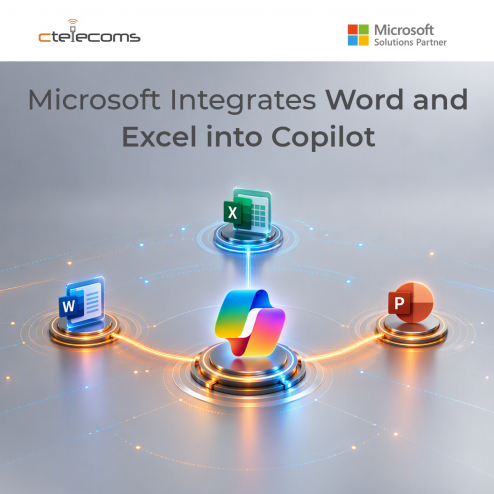
Artificial Intelligence is changing the way we work, and Microsoft is taking another big step forward. The company has announced a new Copilot experience that brings Word, Excel, and PowerPoint directly into Copilot. This means people can create, edit, and share files from one place without constantly switching between different apps.
For businesses and everyday users alike, this update is designed to make work easier, faster, and more organized.
Traditionally, if you wanted to write a document, analyze data, or create a presentation, you would open Word, Excel, or PowerPoint separately. With Microsoft's new approach, these tools are becoming part of Copilot itself. Users can create and work on documents, spreadsheets, and presentations directly within the Copilot experience.
Microsoft describes this as bringing the full Office experience into Copilot, making it a single place where people can get work done.
Most people spend their workday moving between multiple applications. You might start in an email, open a spreadsheet, switch to a document, then jump into a presentation. While this process is common, it can be time-consuming and distracting.
By bringing these tools together, Microsoft aims to create a smoother workflow. Instead of jumping between several windows, users can stay in one workspace and focus on completing tasks.
This change can help users:
Imagine you need to prepare a business report.
Instead of opening multiple programs, you can ask Copilot to help collect information, organize key points, create a document, and even generate charts from your data. Since Word and Excel are integrated into the same environment, the process becomes more connected and efficient.
For example, you could:
Teamwork is a major part of modern business. Employees regularly collaborate on documents, spreadsheets, and presentations across departments.
With Office applications integrated into Copilot, teams can work together more smoothly. Files can be created, edited, and shared from the same workspace, reducing the need for constant switching between tools.
This can be especially useful for marketing teams, sales departments, project managers, and business leaders who depend on multiple Microsoft tools throughout the day.
Many people think of AI as simply a chatbot that answers questions. Microsoft's latest update shows that Copilot is becoming much more than that.
The company is positioning Copilot as a complete productivity hub where users can create content, manage files, build reports, and complete everyday work tasks from one location. The new experience combines AI assistance with familiar Microsoft tools that millions of people already use every day.
This approach helps turn Copilot into an active work companion rather than just a place to ask questions.
For organizations, the new Copilot experience could simplify daily operations and improve productivity.
Employees often spend significant time searching for information, preparing reports, updating spreadsheets, and creating presentations. By placing these activities inside a single workspace, businesses may be able to reduce repetitive tasks and help employees focus on higher-value work.
Companies that already use Microsoft 365 may also find it easier to adopt AI because the tools employees know and trust remain at the center of the experience.
Microsoft's decision to integrate Word, Excel, and PowerPoint more deeply into Copilot reflects a larger shift in the workplace. AI is becoming part of everyday business applications rather than existing as a separate tool.
As these capabilities roll out to Microsoft 365 users and participating organizations, people will be able to create, edit, and manage their work more seamlessly than before.
As Microsoft continues to transform the way people work by bringing Word, Excel, and PowerPoint directly into Copilot, businesses have an exciting opportunity to improve productivity, simplify daily tasks, and empower employees with AI-driven tools. The future of work is becoming more connected, intelligent, and efficient, helping organizations accomplish more in less time.
For businesses in Saudi Arabia, having the right technology partner is essential to fully benefit from these innovations. As a Microsoft Solutions Partner and trusted IT services provider in KSA, Ctelecoms helps organizations adopt, deploy, and optimize Microsoft solutions, including Microsoft 365, Copilot, Azure, cybersecurity, cloud services, and modern workplace technologies.
Whether your goal is to improve collaboration, automate business processes, strengthen security, or leverage AI to drive growth, Ctelecoms provides the expertise and local support needed to ensure a successful digital transformation journey. By combining Microsoft's latest innovations with industry best practices, Ctelecoms enables Saudi businesses to work smarter, operate more efficiently, and stay competitive in an increasingly digital world.
The integration of Office apps into Copilot is just the beginning. With the right strategy and a trusted Microsoft partner like Ctelecoms, organizations can unlock the full value of AI and build a more productive future for their teams.

Upgrade your IT to be as agile and efficient ...